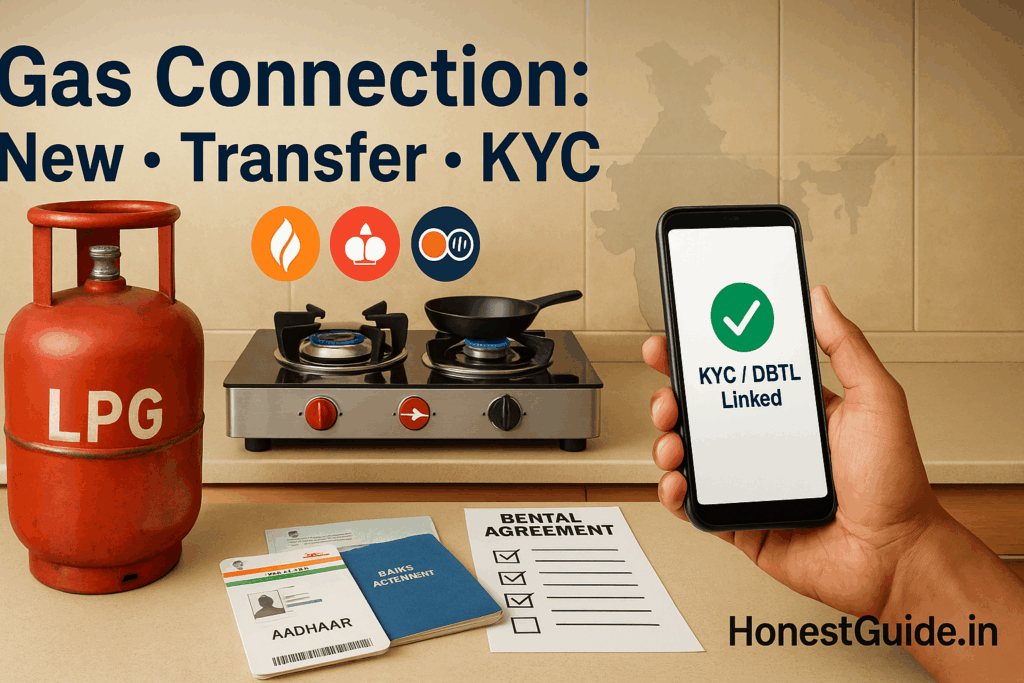
Gas Connection in India: New, Transfer & KYC (Simple Guide)
Gas Connection: New, Transfer & KYC Checklist
Getting a domestic LPG connection shouldn’t feel like a maze. This guide gives you plain-English steps to: (1) get a new connection, (2) transfer/port your connection after you move or switch distributors, and (3) finish KYC/e-KYC and link Aadhaar/bank for subsidy. We keep it action-first and India-specific.
🧭 Summary
-
Outcome: Apply online/offline for a new LPG connection, transfer/port to another distributor, and complete KYC/e-KYC (incl. Aadhaar/bank linking for subsidy).
-
Timelines: New connection verification/allotment typically 3–10 working days after KYC and payment; intra-company portability often same/1–3 days once approved; e-KYC usually minutes–24 hours if details match. (Check your OMC portal for current SLAs.) IOCL+1
-
Costs: You’ll pay refundable security deposits for cylinder(s) and regulator + booklet/registration. Amounts vary by OMC/region/format (14.2 kg/5 kg/Composite). Keep receipt—deposit is refundable on surrender. (See your OMC’s “Tariff/Deposits” page.) IOCL
-
Docs: Photo, PoI (ID), PoA (address), Aadhaar (for subsidy/e-KYC), bank details (for PAHAL/DBTL), and recent photo. Some portals now allow Aadhaar e-KYC to simplify. Indian Oil Customer Experience+1
-
Top pitfall: Skipping Aadhaar/bank seeding—you’ll get no subsidy until both are linked to your LPG ID. Do it on your OMC portal or via MyLPG. Indian Oil Customer Experience+1
🧰 Before you start
Who this is for: First-time applicants, movers changing address or distributor, and anyone asked to update KYC/e-KYC.
What you’ll need (digital copies help):
-
Photo (passport-style), PoI (Aadhaar/Passport/Voter ID/Driving Licence, etc.), PoA (Aadhaar/lease/utility bill), bank details (passbook/statement), and your mobile number for OTPs. Vikaspedia Energy
-
If transferring: current consumer number, last cash memo/subscription voucher (SV), and distributor details.
Costs & TAT:
-
Deposits/charges are shown on each OMC portal under tariff/charges during checkout; deposits are refundable on surrender. Timelines vary by city/distributor. IOCL
Where to do it:
-
Official OMC portals/app(s):
-
Indane (IOCL): “LPG Services” → New Connection / Portability / Find LPG ID / DBTL. IOCL+1
-
HP Gas (HPCL): “Get New Connection”, “Change your distributor”, e-KYC/Aadhaar auth options. Hindustan Petroleum Corporation Ltd.+1
-
Bharatgas (BPCL): New connection/DBC/portability via web and UMANG. UMANG
-
-
MyLPG (National services directory): Access OMC portals, join PAHAL/DBTL, manage LPG ID. National Government Services Portal
🔟 Steps (do this now)
1) Pick your OMC & nearby distributor
Choose Indane, HP Gas, or Bharatgas based on service in your area. Use the locator/portal to view distributors and ratings. Tip: Prefer a distributor with reliable delivery timelines in reviews. IOCL
2) Create an online account & find your LPG ID (or generate later)
Register on your chosen OMC portal/app with your mobile number. If you’re an existing consumer, use “Find LPG ID” tools to pull your 17-digit ID. Keep this ID safe—it’s needed for DBTL. Indian Oil Customer Experience+1
3) Complete KYC/e-KYC
Upload PoI/PoA and photo or use Aadhaar e-KYC (OTP). e-KYC reduces document upload and speeds verification if your Aadhaar/mobile are linked. Indian Oil Customer Experience+1
Quick note: Ensure your name/DOB match across Aadhaar and bank to avoid DBTL rejections.
4) Choose cylinder type & quantity
Select 14.2 kg, 5 kg, or composite options; choose single or double bottle connection (DBC). Security deposit is calculated automatically. IOCL
5) Pay deposits/charges online
Pay via cards/UPI/net-banking on the OMC portal/app. Save the e-receipt—this includes deposit breakup and application reference. Hindustan Petroleum Corporation Ltd.
6) Verification & home visit (if scheduled)
Some distributors verify address/KYC or schedule a safety demo. Keep original IDs handy. Typical TAT 3–10 working days, faster in metro hubs. (Your portal will show status.) Hindustan Petroleum Corporation Ltd.
7) Take delivery & collect documents
On first delivery, collect: Subscription Voucher (SV), booklet, and safety brochure. Cross-check your consumer number. (SV proves your deposit for future surrender/refund.) IOCL
8) Link for subsidy (DBTL/PAHAL)
Even if you don’t link Aadhaar + bank, you can buy cylinders, but no subsidy will credit until both are seeded against your LPG ID. Do this from your OMC portal/MyLPG; forms are also provided by OMCs (Unified DBTL forms). Indian Oil Customer Experience+1
9) Port/transfer when you move or want a different distributor
-
Intra-company (same OMC; e.g., Indane→Indane): Use Portability/Change Distributor—usually no transfer fee or extra deposit; validation via OTP; track online. Indian Oil Customer Experience+1
-
Inter-company (between OMCs; e.g., Indane↔HP↔Bharatgas): Check the portability initiative in your area on respective portals; follow on-screen flow. (Where not enabled, surrender + take fresh connection at new OMC with deposits moved/refunded as per policy.) Indian Oil Customer Experience
10) Keep details updated
Update mobile, address, and bank in your OMC profile whenever they change. This prevents failed OTPs or subsidy mis-credit. National Government Services Portal
📋 Checklist (copy-paste)
-
Decide OMC (Indane/HP Gas/Bharatgas) and distributor near you.
-
Register on portal/app; note your LPG ID.
-
Complete KYC/e-KYC (Aadhaar OTP if available).
-
Upload PoI/PoA and photo (if not using e-KYC).
-
Select cylinder type (14.2 kg/5 kg/composite) and single/DBC.
-
Pay security deposit + charges; save receipt.
-
Keep originals ready for verification/delivery.
-
Collect SV and confirm consumer number at first delivery.
-
Link Aadhaar + bank to LPG ID (DBTL/PAHAL).
-
For transfer/portability, raise request in portal → verify via OTP → track status.
⚠️ Red flags & common mistakes
| Mistake | What happens | Fix |
|---|---|---|
| Applying on unofficial third-party sites | Data misuse, delays, extra “service” fees | Use only official OMC portals or UMANG listings. UMANG |
| Name/DoB mismatch across Aadhaar & bank | DBTL subsidy fails | Update records, then re-authenticate on OMC portal. Indian Oil Customer Experience |
| Not linking Aadhaar or bank | No subsidy | Complete PAHAL/DBTL linking via portal/forms. Indian Oil Customer Experience |
| Moving home but not raising portability | Missed deliveries, address mismatch | Use Change Distributor/Portability feature online; typically no extra deposit intra-company. Indian Oil Customer Experience |
| Losing deposit receipt/SV | Refund delays during surrender | Store SV and cash memos digitally; ask distributor to reissue copies if lost. IOCL |
🗣️ Templates & scripts
Email to distributor (KYC pending):
Subject: Request to expedite KYC verification – Consumer {{Consumer No.}}
Body:
Hello {{Distributor Name}},
I completed KYC/e-KYC for a new LPG connection on {{date}} via {{OMC portal}}. My consumer no. is {{XXXX}}. Kindly confirm verification status and expected delivery date.
Thanks,
{{Name}} – {{Mobile}}
Portability request (in-app note/remark):
“Requesting portability from {{Old Distributor}} to {{New Distributor}} due to {{shift/new address/service issues}}. Consumer No. {{XXXX}}. Kindly process at the earliest.”
Phone script (KYC/subsidy):
“Namaste. I’m calling about my LPG connection {{Consumer No.}}. My Aadhaar and bank are linked, but subsidy hasn’t credited since {{month}}. Ticket no. {{if any}}. Could you please check DBTL status and confirm the next credit date?”
🧗 Escalation path (with links)
-
Your Distributor → raise a ticket via portal/app/call. Keep ticket no. and SMS. Hindustan Petroleum Corporation Ltd.
-
OMC Customer Care/Portal
-
Indane (IOCL): LPG Services → grievances/helpdesk; DBTL & portability pages. IOCL+1
-
HP Gas (HPCL): My HP Gas → “Change your distributor”, e-KYC/Aadhaar auth; grievance section. Hindustan Petroleum Corporation Ltd.
-
Bharatgas (BPCL): Consumer services via web/UMANG; new connection/DBC/track KYC. UMANG
-
-
National route: MyLPG (National Services Page)—join PAHAL, manage LPG ID, and access company links. National Government Services Portal
-
If unresolved: File on the National Consumer Helpline (1915) or CPGRAMS with evidence bundle (KYC receipts, tickets, SV, payment proof). (Use official portals; attach PDFs/screenshots).
❓FAQs
1) Can I get a connection without Aadhaar?
Yes, but you won’t receive subsidy until Aadhaar and bank are linked to your LPG ID under PAHAL/DBTL. Indian Oil Customer Experience
2) What’s the fastest way to finish KYC?
Use Aadhaar e-KYC on your OMC portal/app—OTP verification usually completes in minutes if details match. Hindustan Petroleum Corporation Ltd.
3) I’m moving within the same city. Do I need a fresh connection?
No. Use portability/Change Distributor. For intra-company transfers, policy states no transfer fee or extra deposit. Indian Oil Customer Experience
4) I want to switch from Indane to Bharatgas (or HP Gas). Is that allowed?
Inter-company portability has been rolled out/expanded via OMC initiatives; check availability and process on your OMC portal. Where not enabled, surrender and take a fresh connection (deposits handled per policy). Indian Oil Customer Experience
5) How do I check if my subsidy is linked and crediting?
Use your OMC portal/MyLPG to see DBTL status and subsidy history once Aadhaar + bank are linked to your LPG ID. National Government Services Portal
6) Can renters apply? What PoA works?
Yes. Use rent agreement, recent utility bill, Aadhaar, or other PoA accepted by the portal list. Vikaspedia Energy
7) How long does a new connection take?
Typically 3–10 working days post-KYC and payment, but it varies by location and workload. Track status on your OMC portal/app. Hindustan Petroleum Corporation Ltd.
8) What if my mobile number changed?
Update it on your OMC profile first—OTP-based services (e-KYC/portability) rely on your registered number. Hindustan Petroleum Corporation Ltd.
📚 Sources
-
IOCL – Indane LPG Services/Policies (new connection, tariffs, portability, find LPG ID). IOCL+1
-
IOCL – Inter-Company Portability (policy & charges). Indian Oil Customer Experience
-
HPCL – HP Gas (Get New Connection, Change Distributor, FAQs; e-KYC/Aadhaar authentication notes). Hindustan Petroleum Corporation Ltd.+1
-
MyLPG (National Services page via Services India): PAHAL/DBTL access and OMC links. National Government Services Portal
-
UMANG – Bharatgas services (register new connection, KYC tracking, DBC). UMANG
-
IOCL – DBTL/PAHAL forms & KYC formats (Unified forms, KYC, linking). Indian Oil Customer Experience
Note: Fees, deposits, and rollout of inter-company portability can change. Always re-confirm the current rules on your OMC portal before paying.