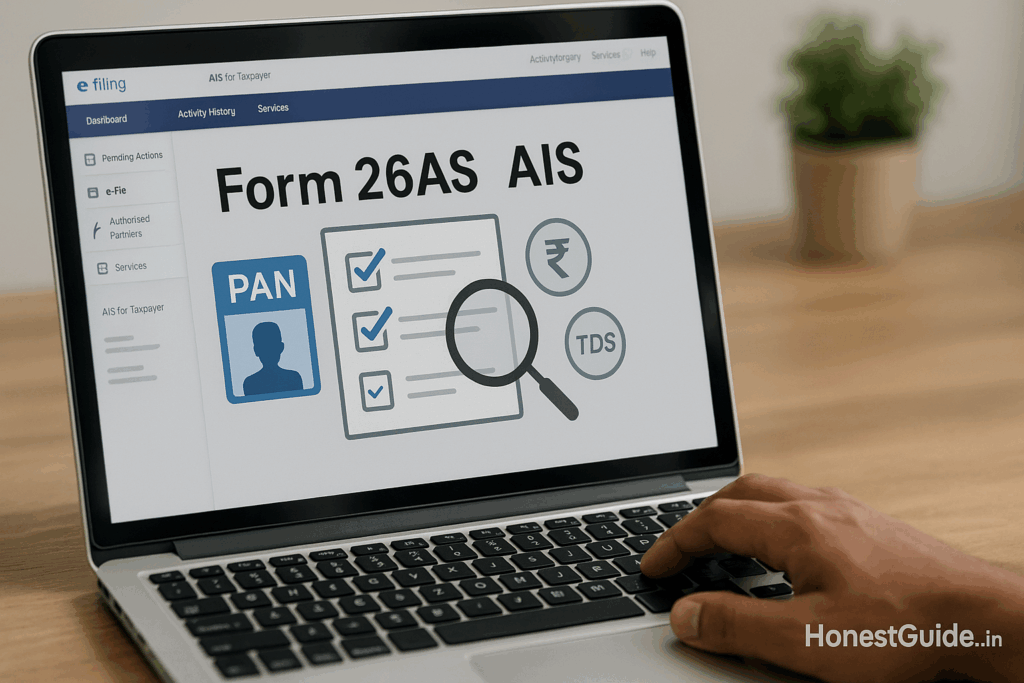
26AS vs AIS Mismatch? Read, Compare, and Fix It Fast
Form 26AS & AIS: Read & Fix Mismatches
When your Form 26AS shows one thing and AIS/TIS another, your refund can get held up or you may even see a tax demand. This guide gives you a crisp, do-this-now path to reconcile both—what to check, where to click, what feedback to give in AIS, and how to get deductors to correct their TDS returns.
🧭 Summary
-
Outcome: Match your 26AS (tax credits) with AIS/TIS (full transaction view) and file a clean ITR or fix post-filing mismatches.
-
Timelines: AIS feedback reflects instantly on portal; deductor TDS correction (24Q/26Q/27Q/27EQ) usually 7–30 days after they file a revised return; rectification of ITR 15–45 days after submission (typical).
-
Costs: Usually ₹0; you may pay CA fees if you hire help.
-
Docs: Form 16/16A, bank interest certificate, broker capital gains statement, rent receipts, loan statements, challans, AIS PDF/CSV, Form 26AS.
-
Top pitfall: Filing ITR on “reported” AIS numbers without giving feedback where wrong—can trigger 143(1) adjustment. Use AIS feedback and keep proofs. Income Tax India
🧰 Before you start
Who is this for?
Salaried, freelancers, landlords, traders, retirees—any taxpayer who sees a mismatch between Form 26AS and AIS/TIS or between reported and derived values inside AIS.
Key terms (quick):
-
Form 26AS: Your tax credit passbook (TDS/TCS, taxes paid). From AY 2023-24, 26AS mainly shows TDS/TCS; the rest moved to AIS. Income Tax India
-
AIS (Annual Information Statement): Full info feed (TDS/TCS, SFT like interest/dividends, securities sales, demand/refund, etc.) plus feedback options. TIS is the summary view used for prefill. Income Tax India+1
Where you’ll do this:
Income Tax e-Filing portal → AIS area, View Form 26AS (opens TRACES), and Tax Credit Mismatch service for post-filing checks. Income Tax India+1
Typical evidence to keep handy: Form 16/16A, bank/passbook statements, demat/broker contract notes & 112A statements, rent/loan proofs, challans (advance/self-assessment), and any communication with deductors.
🔟 Steps (do this now)
1) Download your latest 26AS, AIS, and TIS
Log in, open AIS and download PDF/CSV/JSON; also open View Form 26AS (TRACES). Keep copies. Income Tax India+1
Tip: AIS lets you track Activity History and download an acknowledgement for feedback—save both. Income Tax India
2) Understand what should match what
-
26AS ↔ AIS (TDS/TCS sections): Deductor TAN, section, amount, quarter.
-
AIS SFT/Other info ↔ your proofs: Bank interest, dividends, mutual fund/redemption, securities sale value, foreign remit, etc.
-
TIS “derived” values should reflect your valid feedback and are used for prefill. Income Tax India
3) Make a mismatch list
Create a 3-column table: Item → Portal shows → As per my records. Include TAN, account no., broker code, dates.
4) Give feedback inside AIS for every wrong/duplicate entry
In AIS, open each line item and choose the right feedback option—e.g., Information is correct / not fully correct / duplicate / denied / relates to other PAN/year / customised feedback. Add a short remark (e.g., “FD closed in FY 2022-23; interest already offered; bank tagged FY wrongly”). Submit and download the feedback acknowledgement. Income Tax India+1
5) If TDS credit is missing or short in 26AS, ask the deductor to fix their TDS return
Share your PAN, period, and proof of deduction. They must file a correction statement (e.g., 24Q/26Q/27Q/27EQ). Your 26AS should refresh after they file and it’s processed. Income Tax India
6) Re-check TIS after feedback
AIS shows “reported” vs “modified/derived” values. Ensure TIS now reflects your position. If not, review whether your feedback type/remark was adequate and re-submit if needed (modification allowed). Income Tax India+1
7) Filing ITR? Use TIS “derived” numbers + your proofs
When filing (online or offline utility), cross-verify prefill against TIS and your books. If any item is legitimately not taxable (e.g., maturity of tax-free bond), report correctly in the return and keep evidence. Income Tax India+1
8) Already filed and got a 143(1) adjustment or refund hold?
Use Tax Credit Mismatch service to see the exact variance. Then:
-
If AIS/26AS were corrected later or you made a genuine entry error, file Rectification (u/s 154) with the right schedules and attach workings.
-
If the mismatch is due to deductor error, push them to correct; then file rectification after 26AS updates. Income Tax India+1
9) Track and respond to any e-Proceedings
If you receive a clarification/notice, respond within the due date inside e-Proceedings. Upload the evidence bundle (feedback ack., 26AS/AIS PDFs, Form 16/16A, bank/broker statements). Income Tax India
10) Close the loop
Once deductor correction reflects in 26AS and TIS looks right, re-check ITR status. If refund stuck due to bank validation, use Refund Re-issue after validating bank account in profile. Income Tax India
📋 Checklist (copy-paste)
-
Download AIS (PDF/CSV) and TIS; save Activity History and feedback receipt. Income Tax India
-
Download Form 26AS from TRACES via e-Filing. Income Tax India
-
Prepare mismatch table (item, portal value, my value, reason).
-
Submit AIS feedback for every wrong/duplicate/other-year entry. Income Tax India
-
Email deductor for TDS return correction (quote TAN, quarter, challan). Income Tax India
-
Re-check TIS derived values after feedback. Income Tax India
-
File ITR using correct numbers; retain proofs. Income Tax India
-
If you get a 143(1) adjustment/refund hold, use Tax Credit Mismatch and file Rectification. Income Tax India+1
-
Monitor e-Proceedings and reply on time. Income Tax India
⚠️ Red flags & common mistakes
| Mistake | Consequence | Fix |
|---|---|---|
| Ignoring AIS “duplicate” entries | Over-reporting income; higher tax | Mark Duplicate/included elsewhere with brief remark; keep proof. Investor |
| Claiming TDS not in 26AS | 143(1) disallowance; refund cut | Get deductor to file correction; claim only when it appears in 26AS or add full evidence and be ready to justify. Income Tax India |
| Using AIS reported numbers without feedback | Wrong prefill; later mismatch | Give feedback so TIS derived reflects your position. Income Tax India |
| Not responding to e-Proceedings on time | Adjustment finalised against you | Reply via e-Proceedings before due date with attachments. Income Tax India |
| Filing rectification before deductor fixes TDS | Rectification rejected | First ensure 26AS updates; then file rectification. Income Tax India |
🗣️ Templates & scripts
A) Email to deductor for TDS correction (use when TDS not in 26AS or wrong TAN/amount)
Subject: Request to file TDS correction for PAN {{YOUR PAN}} – FY {{YYYY-YY}}, Q{{QTR}}
Dear {{Accounts/Payroll/Bank RM}},
This is regarding TDS deducted on {{nature: salary/FD interest/contract/etc.}} for {{period}}. The credit is not reflecting / reflecting short in my Form 26AS.
-
PAN: {{PAN}}
-
TAN (your records): {{TAN}}
-
Amount deducted: ₹{{amount}}; Date(s): {{dd-mm-yyyy}}
-
Proof attached: {{Form 16/16A/bank statement/challan}}
Request you to file a TDS correction statement ({{24Q/26Q/27Q/27EQ}}) with correct PAN/amount so that credit reflects in my 26AS. Please confirm expected timeline.
Thank you,
{{Your Name}}, {{Mobile}}
B) Phone script for follow-up with deductor
“Namaste. I’m calling about my TDS credit for PAN {{PAN}}—it’s not showing correctly in Form 26AS. Could you check your TDS return ({{24Q/26Q/27Q/27EQ}}) and file a correction? I’ve emailed details and proofs. Please share the expected filing date and acknowledgement number.”
C) AIS feedback remark (short examples)
-
“Interest tagged to FY 2024-25 actually pertains to FY 2023-24; bank certificate attached.”
-
“Duplicate SFT row—same broker note already appears under another entry.”
-
“Transaction does not belong to my PAN; likely other PAN/year.”
🧗 Escalation path (with links)
-
Deductor/Bank/Broker → Get them to correct TDS/SFT reporting; keep email trail and challan copies. Income Tax India
-
AIS support (for portal/AIS/TIS issues): AIS & Reporting helpdesk listed on the e-Filing portal help pages. You can also access AIS via the Compliance Portal and raise queries. Income Tax India+1
-
Income Tax e-Filing: Use Grievances, Tax Credit Mismatch, Rectification, Refund Re-issue, or respond via e-Proceedings if a notice is issued. Income Tax India+1
-
If still unresolved and you have an adverse adjustment/demand, submit a detailed Rectification u/s 154 with all evidence; if a notice is issued, respond under e-Proceedings within time. Income Tax India
❓FAQs
1) Which one is “final”—26AS or AIS?
They serve different purposes. 26AS is primarily your tax credit record (TDS/TCS). AIS is the wider transaction view (including SFT) with a feedback system, and TIS summarises it for prefill. You should reconcile all three. Income Tax India+1
2) My bank interest in AIS is higher than in my passbook. What do I do?
Give AIS feedback (not fully correct/duplicate/relates to other year) with a short remark and attach the bank certificate if asked. Report the correct number in ITR and keep proofs. Income Tax India
3) TDS is in Form 16 but not in 26AS—can I claim it?
Claiming TDS that’s absent in 26AS often gets disallowed under 143(1). Ask the employer/bank to file a TDS correction so 26AS updates, then file rectification if needed. Income Tax India
4) How quickly does AIS feedback reflect?
Feedback updates are recorded immediately in AIS/TIS with an acknowledgement; source confirmation may take longer. Keep the receipt. Income Tax India
5) I already filed ITR and got a mismatch message. What next?
Open Tax Credit Mismatch to see the variance, fix via deductor/AIS, and then submit Rectification (u/s 154). Watch for any e-Proceedings communications. Income Tax India+1
6) Can I bulk-submit AIS feedback?
Yes—AIS allows bulk feedback for certain options like “Information is correct” and “relates to other PAN/year.” Investor
7) Does 26AS still show everything?
No. From AY 2023-24, 26AS mainly shows TDS/TCS; other details moved to AIS. Income Tax India
8) Where do I see all mismatch services in one place?
In the e-Filing portal under your Dashboard/Authorized Partners menu: Tax Credit Mismatch, Rectification, Refund Re-issue, View Form 26AS, etc. Income Tax India
📚 Sources (official)
-
Income Tax e-Filing: AIS FAQs — viewing AIS, feedback steps, formats, and activity history. Income Tax India
-
Income Tax: AIS/TIS overview (Incometaxindia.gov.in) — what AIS/TIS are and how they are used. Income Tax India
-
Income Tax: Tax Credit Mismatch (User Manual & FAQs) — how the service flags TDS/TCS/advance/self-assessment variances and what to do. Income Tax India+1
-
e-Filing Dashboard/Worklist guide — where to access View Form 26AS, Rectification, and other tools. Income Tax India
-
TRACES (TDS CPC) portal notes — 26AS availability and TRACES role for TDS/TCS. nriservices.tdscpc.gov.in+1
-
Note on 26AS scope change (from AY 2023-24) — 26AS shows mainly TDS/TCS; other info is in AIS. Income Tax India
Disclaimer (finance): This guide is general information, not tax advice. For complex cases (e.g., business income, foreign assets), speak with a qualified tax professional. Always check the official portal for current rules and forms.