UPI & Bank App Safety: Do/Don’t Playbook
UPI & Bank App Safety: Do/Don’t Playbook
UPI is fast and convenient—and scammers know it. Most frauds succeed not because tech fails, but because someone rushes you, confuses you, or gets you to click the wrong thing. This playbook gives you crisp do’s and don’ts, exact replies to scam lines, how to verify anything, what to do immediately if money moves, and where to report in India.
🧭 Summary
-
Golden rule: No one needs your UPI PIN/OTP/MPIN/CVV—ever. If asked, hang up.
-
If a debit happens: Call your bank through the number in its app/official site, raise a dispute, and lodge a complaint on the National Cybercrime portal/1930 within minutes. Faster action improves fund-freezing chances. Cyber Crime Reporting Portal+1
-
Refund chances: RBI rules cap your liability if you report quickly; report within 3 days for “zero liability” in many cases. Reserve Bank of India+1
-
Verification: Confirm payee name in-app, rely on collect requests from verified handles, and cross-check using official channels like your bank app and DigiSaathi (14431 / 1800-891-3333). NPCI+1
-
Block future attacks: Change UPI PINs, remove unknown devices/linked accounts, and report scam calls/SMS on Sanchar Saathi (Chakshu). Sanchar Saathi
🧰 Before you start
Who this is for: Anyone using UPI/bank apps (BHIM, GPay, PhonePe, Paytm, your bank’s app). Seniors and first-timers: read the scripts aloud once; it helps under pressure.
What you’ll need (keep handy):
-
Bank customer ID, last 4 digits of account/card, UPI ID, recent transaction refs, screenshots.
-
Official contact points: your bank’s app help section, RBI Ombudsman CMS, National Cybercrime portal, DigiSaathi. Reserve Bank of India+2Cyber Crime Reporting Portal+2
Costs & timelines (typical):
-
Blocking card/UPI: immediate and free (in-app/IVR).
-
Bank dispute ticket: instant; resolution may take up to 90 days depending on network flows; check your bank’s policy and RBI timelines. Reserve Bank of India
Where to act:
-
Primary: Your bank app/official helpline.
-
Police/Cyber: 1930 helpline or cybercrime.gov.in for fund-freezing attempts and complaint filing. Cyber Crime Reporting Portal
🔕 “If you hear this, stop.” (exact lines + your reply)
-
“Share your UPI PIN to receive ₹5,000 cashback.”
You say: “No one needs my UPI PIN. I will check in my app.” Hang up. (PIN is only for sending money.) NPCI -
“Install this app and screen-share to fix a failed KYC.”
You say: “I don’t install apps from links. I’ll open my bank app and check KYC there.” (Remote-control apps are a red flag.) -
“Approve this collect request to get a refund.”
You say: “Refunds are credits; I don’t approve anything to receive money.” (Approving a collect request sends money.) -
“Your SIM/number will be blocked by DoT unless you pay a fee now.”
You say: “I’ll verify on Sanchar Saathi.” Report such calls/SMS on the Chakshu portal. Sanchar Saathi -
“Click this RBI/NPCI link to avoid account freeze.”
You say: “RBI/NPCI don’t text customers. I’ll contact my bank or DigiSaathi.” NPCI -
“Tell me the OTP to cancel a transaction.”
You say: “OTP is only for login or payments I start. I won’t share it.” -
“Your UPI ID is expiring—renew here.”
You say: “I’ll check in my UPI app settings.” (Inactive UPI handles can be deactivated by rule, but renewal happens within the official app.) NPCI
🔎 Verification steps (trust, but verify)
-
Check payee name: When you enter a UPI ID/number/QR, the app shows a verified name. If it looks odd, stop.
-
Use app-built flows only: KYC, limit change, device binding, and PIN reset must happen inside your bank/UPI app—not through links/WhatsApp PDFs.
-
DigiSaathi for neutral guidance on any payment query (IVR short code 14431 or toll-free 1800-891-3333, website/chatbot). digisaathi.info
-
Sanchar Saathi (Chakshu) to report suspicious calls/SMS/WhatsApp—helps telcos and DoT act on fraud communications. Sanchar Saathi
-
Official helplines only: Use numbers listed inside your app or on the bank’s site, not from SMS/Google search ads.
-
No screen share: Never mirror your screen or grant remote access for “support.”
-
UPI device binding: If you change phones/SIMs, re-bind within the app; remove old devices.
🚨 Immediate actions (do this now if money moved or you clicked something)
-
Call your bank through its in-app number and ask to block UPI/card/net banking; raise a transaction dispute for the exact UTR(s). Note ticket number.
-
Dial 1930 or visit cybercrime.gov.in to file a cyber-financial fraud complaint; give UTR, amount, time, merchant/payee handle, and your bank ticket ID. Early reporting helps freeze funds. Cyber Crime Reporting Portal+1
-
Change credentials: Reset UPI PINs and app passwords; log out of all devices; revoke app permissions you granted.
-
Scan your phone for unknown apps/remote-access tools; uninstall immediately.
-
Document everything: Screenshots, SMS logs, call logs, UTRs, complaint numbers, timestamps.
-
Follow up with the bank every 48–72 hours; keep notes of agent names and updates.
Why speed matters: RBI’s customer-liability rules improve your protection if you report promptly (not later than 3 days for zero liability in many scenarios; limited liability up to 7 days). Reserve Bank of India+1
📋 Checklist (copy-paste)
-
Bank helpline called from inside app; UPI/card/net banking blocked
-
Dispute raised for each UTR; ticket numbers saved
-
Complaint filed on 1930 / cybercrime.gov.in; complaint number saved Cyber Crime Reporting Portal
-
UPI PIN/app password changed; old devices unlinked
-
Suspicious SMS/WhatsApp reported on Sanchar Saathi (Chakshu) Sanchar Saathi
-
Screenshots/SMS/call logs/UTRs stored in a folder
-
Calendar reminder to follow up with bank (48–72 hours)
-
Escalation planned (internal ombudsman → RBI Ombudsman CMS) if unresolved The Economic Times+1
⚠️ Red flags & common mistakes
| Mistake | Consequence | Fix |
|---|---|---|
| Approving a collect request you didn’t expect | Instant debit | Decline unknown requests; call the sender via a known number |
| Sharing OTP/UPI PIN/MPIN | Account takeover | Never share; banks/NPCI/RBI won’t ask |
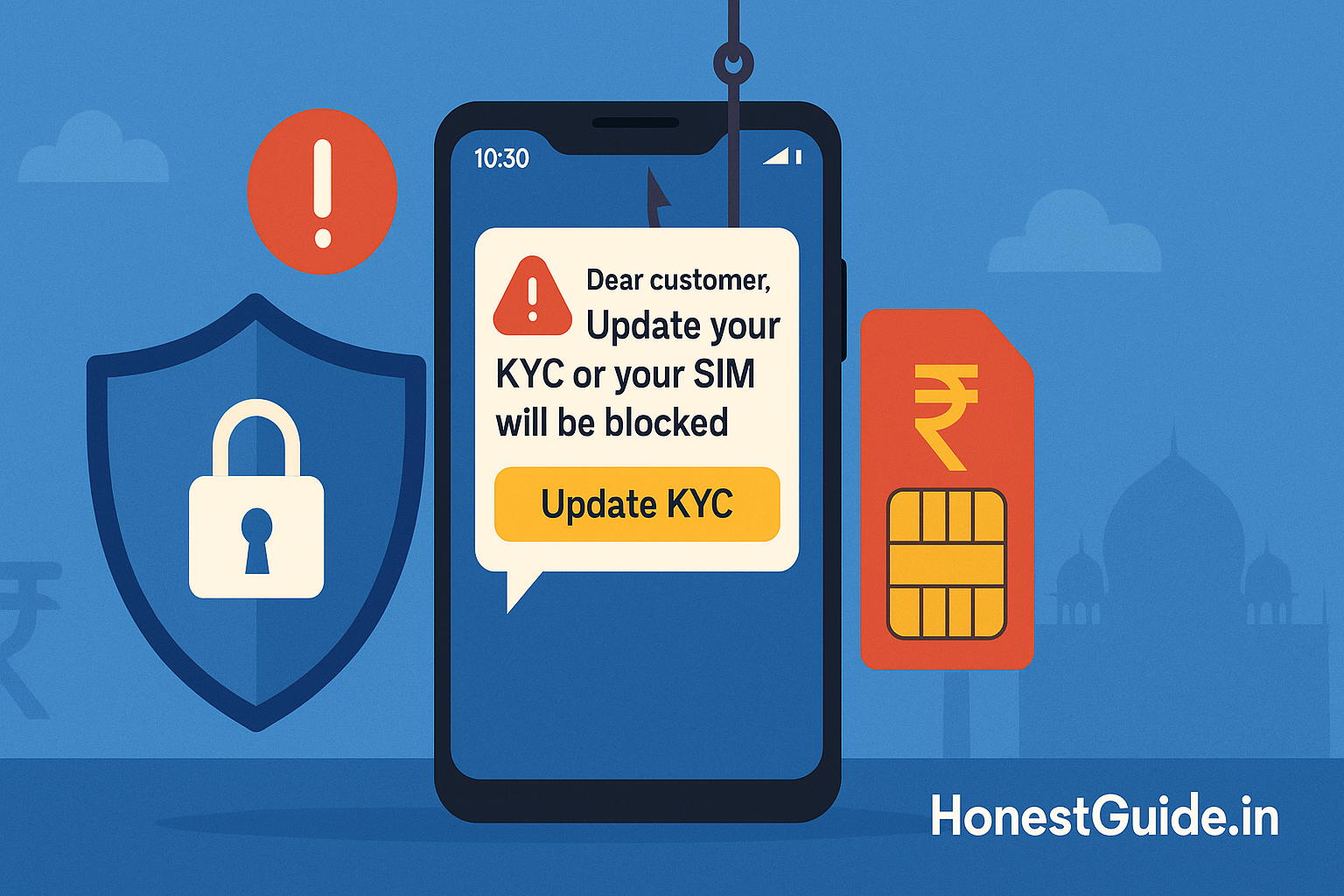
| Clicking links from “RBI/NPCI/DoT” SMS | Phishing, malware | Type official sites yourself; use in-app help |
| Screen sharing with “support” | Full visibility of your actions | Refuse; banks don’t ask for screen share |
| Ignoring a small test debit | Larger follow-up debits | Block channels and dispute immediately |
| Not reporting quickly | Lower chance of fund freeze/relief | Call bank + 1930 right away; lodge on CMS if unresolved Reserve Bank of India+1 |
🗣️ Templates & scripts
A) Phone script — calling your bank
“I’m reporting unauthorised UPI debit(s) of ₹___ at [time/date]. Please block UPI and net banking on my account immediately and raise a dispute for UTR(s) [list UTRs]. Share the ticket number, TAT, and next steps by SMS/email.”
B) Phone script — 1930 helpline
“I want to report a cyber financial fraud. Amount ₹___, time/date [dd-mm-yyyy hh:mm], UTR(s) [list], bank [name], app [name]. Please initiate fund-freezing and give me the complaint ID.”
C) Email to bank (copy-paste)
Subject: Unauthorised UPI debit – dispute request (Account ending ____)
Body:
-
Name: ___ | Mobile: ___ | Account last 4: ____ | UPI ID: ____
-
Transaction(s): UTR , amount ₹, date/time ___
-
I did not authorise these; device in my possession.
-
Actions taken: Blocked UPI, called helpline (ticket no. ___), filed cybercrime complaint (ID ___).
-
Please reverse the debit per RBI’s customer-liability framework and share the written resolution and TAT. Reserve Bank of India
🧗 Escalation path (with links)
-
Your bank: Get a written ticket/SMS acknowledgement.
-
Bank’s Internal Ombudsman: If responses are template-like or deadlines lapse, ask for Internal Ombudsman escalation. The Economic Times
-
RBI Ombudsman (CMS portal): If unresolved after 30 days or dissatisfied, file a complaint under the RB-IOS via the RBI Ombudsman CMS. Reserve Bank of India
-
DigiSaathi: For any payment product clarifications while you pursue the complaint. NPCI
-
National Cybercrime Portal / 1930: Continue to update your complaint with new info (additional UTRs, screenshots). Cyber Crime Reporting Portal
🧱 Do / Don’t quick table
| Do | Don’t |
|---|---|
| Use only in-app flows for KYC/limits | Click links from SMS/WhatsApp for “KYC” |
| Check payee name before every send | Approve collect requests you didn’t expect |
| Keep UPI PIN secret & change periodically | Share OTP/PIN/MPIN with anyone |
| Call the number inside your bank app | Google random numbers for “support” |
| Report to bank + 1930 immediately | Wait “to see if it reverses on its own” |
💡 What changed recently (FYI)
-
NPCI instructed that inactive UPI IDs (≥1 year) be disabled for inward credits; if yours is disabled, re-register inside your app. NPCI
-
RBI is strengthening both Internal Ombudsman mechanisms and the RB-IOS framework; use them when banks delay or deny. The Economic Times
❓ FAQs
1) Will RBI or NPCI ever call me?
No. They don’t call customers for KYC or account unblocking. Treat such calls as scams; verify with your bank or DigiSaathi. NPCI
2) I approved a collect request by mistake. Can I get the money back?
Raise a dispute with your bank at once and file a cybercrime complaint. Faster reporting improves recovery chances, but refunds aren’t guaranteed. Cyber Crime Reporting Portal
3) What’s the deadline to report unauthorised transactions for liability protection?
Report immediately. RBI’s framework provides zero liability in many cases if you report within 3 days, and limited liability within 4–7 days. Reserve Bank of India+1
4) Is device change risky?
When you change phone/SIM, re-bind your UPI device inside the app and delete old device bindings. Avoid using public Wi-Fi for first-time setup.
5) Who can guide me if I’m confused about which option to press?
Call DigiSaathi (14431 / 1800-891-3333) for neutral guidance on digital payments. digisaathi.info
6) I got a DoT-style threat call. Where to report?
Report the communication on Sanchar Saathi (Chakshu) and file a cybercrime complaint if money risk exists. Sanchar Saathi
7) I clicked a phishing link but didn’t pay. What now?
Change your passwords/PINs, uninstall suspicious apps, scan your phone, and monitor statements. If any debit shows, follow the Immediate actions section.
📚 Sources
-
RBI – Customer Protection: Limiting Liability in Unauthorised Electronic Banking Transactions (framework and reporting timelines). Reserve Bank of India+1
-
National Cybercrime Reporting Portal & Helpline 1930 (report online financial frauds). Cyber Crime Reporting Portal+2Cyber Crime Reporting Portal+2
-
DigiSaathi (NPCI/RBI payments helpline) — 14431 / 1800-891-3333, guidance on digital payments. NPCI+1
-
NPCI UPI circulars & guidelines (deactivation of inactive UPI IDs; API usage norms). NPCI+1
-
Sanchar Saathi (Chakshu) — report suspected fraud communications (calls/SMS/WhatsApp). Sanchar Saathi
-
RBI Ombudsman – Complaint Management System (CMS) — escalate unresolved issues. Reserve Bank of India
Disclaimer: This guide offers general safety guidance. It is not financial or legal advice. Always confirm current rules on official portals.