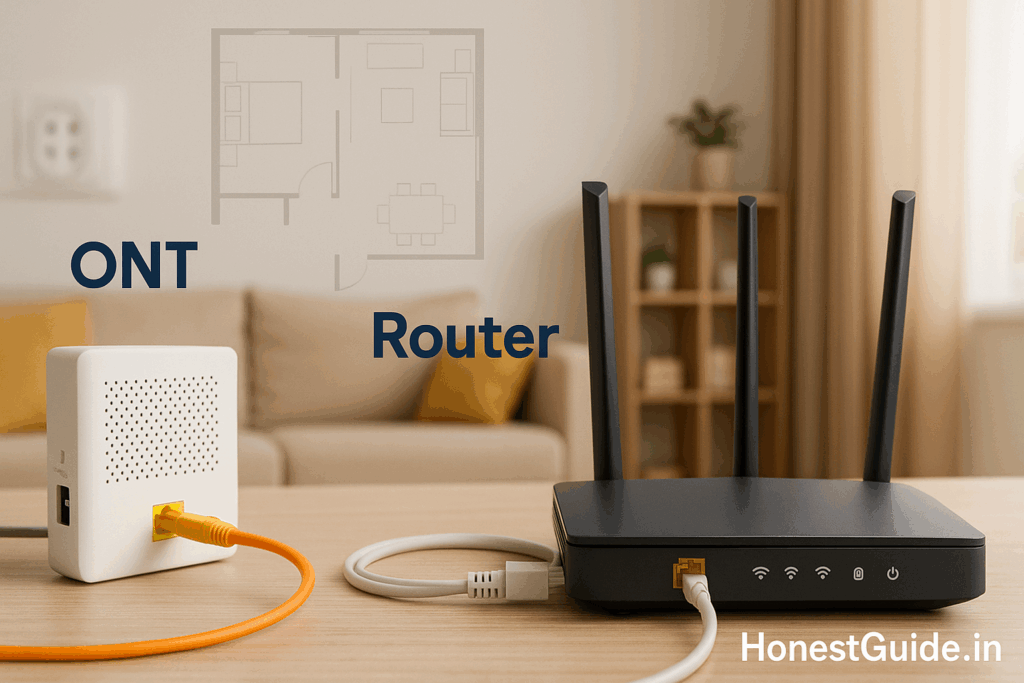
Broadband Router for Indian Flats: ONT vs Own Router
Broadband Router for Indian Flats (ONT vs Router)
Most Indian ISPs (JioFiber, Airtel, ACT, BSNL FTTH) install a fibre ONT (Optical Network Terminal). Many ONTs have basic Wi-Fi, but flats with concrete walls often get patchy coverage. This guide helps you choose between using the ISP ONT, adding your own router, asking for bridge mode, or going mesh—with India-specific tips, scripts, and safety notes.
🧭 Summary
-
Use only ISP ONT Wi-Fi if: 1-room setup, modem is central, speed plan ≤200 Mbps, 5–7 devices, you don’t need parental controls or port forwarding.
-
Add your own router (double-NAT / AP mode) if: you want better Wi-Fi and features but can’t get bridge mode; fine for streaming and work calls.
-
Bridge ONT → your router (best single-router setup) if: you want full control (QoS, port forwarding, VPN), stable latency, and consistent Wi-Fi 6 across the home. ISPs may need to enable this on their side. Kernel Talks+1
-
Mesh Wi-Fi (2–3 nodes) if: 2–3 BHK with thick walls or long corridors; place nodes in hallways for seamless roaming.
-
Certification check: Routers/Wi-Fi CPE sold in India fall under DoT/TEC MTCTE (telecom) and many electronics fall under BIS schemes. Prefer devices certified for India. BIS+3MeitY+3Department of Telecom eServices+3
🧰 Before you start
Who this is for: Renters, families, students, and small WFH setups in Indian apartments (1–3 BHK).
What you’ll need:
-
Your plan speed (e.g., 200/300/500/1000 Mbps).
-
ISP login type: PPPoE (Airtel/ACT often) or DHCP (JioFiber often). Ask support if unsure. ACT Corp+1
-
If requesting bridge mode: ticket with ISP; sometimes needs backend team. Kernel Talks+1
Costs & gear (typical):
-
Mid Wi-Fi 6 router (AX1800–AX3000): ₹3,000–₹9,000.
-
High-end Wi-Fi 6/6E router: ₹10,000–₹30,000+ (6E not widely useful yet due to spectrum policy—stick to Wi-Fi 6 for now).
-
2-pack mesh Wi-Fi 6: ₹9,000–₹25,000; 3-pack for larger 3 BHK.
-
Cat-6 patch cables: ₹200–₹400 each, 1.5–5 m.
Where you do things:
-
ISP app/helpline to request bridge mode or to obtain PPPoE credentials / MAC binding. (Airtel/Jio typically need support to flip it; field techs may not have access.) Kernel Talks+2Broadband Forum+2
-
Router’s web UI/app to set PPPoE or DHCP, SSID, guest network, and parental controls.
Regulatory safety (India):
-
MTCTE (DoT/TEC): Wi-Fi CPE/IP routers fall under mandatory testing/certification. Buying India-certified gear helps with warranty and compliance. MeitY+1
-
BIS schemes: Many electronics are under Compulsory Registration; look for India-market models and labels. BIS+1
🔟 What should you choose? (Decision helper)
Choice table
| Setup | Cost | Time to set up | Speed/latency | Coverage in flats | Features (parental/QoS/VPN) | Who it’s for |
|---|---|---|---|---|---|---|
| ISP ONT only | ₹0 extra | 10–15 min | OK on 100–200 Mbps | Weak past 1 wall | Minimal | 1-room, low devices |
| Own router behind ONT (AP/double-NAT) | ₹3k–₹9k | 20–30 min | Good for streaming/work | Better, still single node | Good (depends on router) | 1–2 BHK, can’t get bridge mode |
| Bridge mode → your router | ₹3k–₹15k | 30–45 min (ISP ticket) | Best stability & control | Strong if placed central | Full control (port-forward, VPN) | Power users, WFH, gamers Kernel Talks+1 |
| Mesh Wi-Fi (2–3 nodes) | ₹9k–₹25k+ | 30–60 min | Excellent consistency | Whole-home roaming | App-based controls | 2–3 BHK with thick walls |
Quick note: Some ISPs gate bridge mode behind a static IP add-on; others will enable it on request via backend teams. Results vary by city and support channel. TechEnclave
🧩 Scenarios (pick your path)
-
1-BHK, modem near TV, 150–200 Mbps plan
Start with ISP ONT Wi-Fi. If calls buffer in the bedroom, add a budget Wi-Fi 6 router in AP mode using Ethernet from ONT. -
2-BHK with long corridor, 300–500 Mbps
Ask ISP for bridge mode and run a solid AX3000 router centrally. If one room still drops, add one mesh node later. -
3-BHK, WFH + gamer, 300–1000 Mbps
Raise a bridge-mode ticket, connect your Wi-Fi 6 router to ONT WAN (PPPoE or DHCP per ISP), then add 2–3 mesh nodes wired backhaul where possible. ACT Corp -
Rented flat; can’t drill
Keep ONT where it is; run mesh with wireless backhaul. Place nodes in hallway corners at chest height. Follow ISP placement tips (keep away from metal/electrical boxes). Jio
🛠️ Setup mini-steps (for the winning option)
A) If you use ONT only
-
Rename SSID and set a long passphrase.
-
Separate 2.4 GHz and 5 GHz SSIDs if the ONT allows; put older devices on 2.4, TV/laptop on 5.
-
Turn off WPS if available.
B) If you add your own router (no bridge mode)
-
Connect ONT LAN → your router LAN (AP mode) or WAN (router mode).
-
If AP mode: disable DHCP on your router; assign it a fixed IP in ONT subnet to avoid conflicts (e.g., 192.168.1.2).
-
If router mode: expect double-NAT; most apps work fine. Enable UPnP only if needed.
C) If you get bridge mode (recommended)
-
Ask ISP to enable bridge and provide PPPoE credentials (Airtel/ACT) or confirm DHCP (Jio). ACT Corp+1
-
ONT → your router WAN.
-
Router Internet settings: PPPoE (username/password) or Dynamic IP (DHCP); MTU 1492 for PPPoE if needed.
-
Configure Wi-Fi 6: combine SSIDs (Smart Connect) or keep separate; enable WPA3 if all devices support.
D) Mesh basics
-
Place primary node centrally; satellites 1–2 rooms away, line-of-sight if possible.
-
Prefer Ethernet backhaul for top speeds.
-
Use the mesh app for channel/auto-optimize after installation.
📋 Checklist (copy-paste)
-
Confirm ISP login type (PPPoE or DHCP).
-
Decide: ONT only / AP mode / Bridge mode / Mesh.
-
If bridge mode: raise ISP ticket; note SR number.
-
Buy India-market Wi-Fi 6 router/mesh (look for TEC/BIS compliance). MeitY+2Department of Telecom eServices+2
-
Place gear centrally; avoid metal cabinets; elevate to ~1.2 m. Jio
-
Set strong Wi-Fi password; disable WPS.
-
Create guest network for visitors/IoT.
-
Test speed on 5 GHz near router and far room; adjust node placement.
-
Save evidence bundle: router screenshots, ISP ticket, speed tests.
⚠️ Red flags & common mistakes
| Mistake | Consequence | Fix |
|---|---|---|
| Putting ONT inside a TV unit or near inverter | Signal loss and drops | Keep in open space, away from metal and mirrors. Jio |
| Buying Wi-Fi 6E router expecting 6 GHz in India | 6 GHz use remains limited; devices may fall back to 5 GHz | Prefer Wi-Fi 6 (5 GHz) today; check DoT updates before buying 6E/7. |
| Using mesh nodes too close / too far | Backhaul congestion or weak link | Start 1–2 rooms apart; run optimiser after placement. |
| Double-NAT when you need port forwarding / gaming | NAT-type issues | Ask ISP for bridge mode or public IP; then forward ports on your router. Kernel Talks |
| Tech says “bridge mode only with static IP” | Unnecessary cost in many circles | Escalate to backend/network team; ask for bridge without static IP. Results vary. TechEnclave |
🗣️ Mini-scripts (copy-paste)
Ask ISP for bridge mode
“Hello, I’m on [plan name]. Please put my ONT in bridge mode so my own router does PPPoE/DHCP. I don’t need the ONT Wi-Fi. Kindly escalate to the network backend team if required. My SR is [ticket no].”
If agent pushes static IP
“If bridge is possible without static IP, please enable that. If policy needs static IP in my area, tell me the monthly charge and confirm that I can revert later.”
Ask PPPoE credentials (Airtel/ACT)
“Please share my PPPoE username and password for router setup. I’ll connect directly to the ONT.” ACT Corp
Jio DHCP confirmation
“Please confirm WAN type is DHCP after bridge so my router pulls IP automatically.” TechEnclave
Placement reminder to installer
“Please keep the ONT/router outside the TV cabinet and at chest height for better coverage.” Jio
🧗 Escalation path (with links you can search)
-
Provider support: App/chat/call; raise SR for bridge mode or PPPoE credentials (Airtel Xstream Fiber, JioFiber, ACT, BSNL FTTH).
-
Helpful ISP pages: JioFiber Helpful Tips (placement/security) and ACT blog guides (router setup basics). Jio+1
-
-
Nodal/Grievance: Ask for Network Team/Nodal Officer via ISP’s website/app if the front line can’t toggle bridge.
-
Regulator info:
-
Consumer help: National Consumer Helpline (if you’re being charged for a feature you didn’t agree to, or service isn’t delivered).
❓FAQs
1) What exactly is an ONT?
It’s the fibre endpoint that converts light signals to Ethernet for your home network; think of it as a fibre “modem.” Your router then handles Wi-Fi and local routing. STL Tech+1
2) Do I need bridge mode?
You need it if you want your own router to be the only router (cleanest path for gaming/port-forward/VPN). For most streaming/work calls, AP mode or even double-NAT is fine. SNBForums
3) Is bridge mode available on every ISP?
Support varies. Airtel/ACT often support it (sometimes via backend). Jio’s stance varies by circle; users report needing escalations. Kernel Talks+2Broadband Forum+2
4) PPPoE vs DHCP—how do I know?
Airtel/ACT commonly use PPPoE (username/password). Jio often uses DHCP (no credentials). Confirm with support. ACT Corp+1
5) Will Wi-Fi 6E or Wi-Fi 7 help me today?
Most gains in Indian flats come from Wi-Fi 6 (5 GHz) and good placement/mesh. 6E/7 depend on spectrum and device support; check DoT updates before paying a premium.
6) Can I connect my own GPON ONU and skip the ISP ONT?
Possible in some cases but requires correct authentication (e.g., serial/LOID/MAC). This is advanced and not supported by many ISPs; proceed only if you know what you’re doing. TechEnclave
7) My ISP insists on static IP for bridge mode. Worth it?
Only if you need a public IP for hosting/advanced features. Otherwise, ask for bridge without static IP or use AP mode. Policies vary; escalate politely. TechEnclave
8) Where should I place mesh nodes?
One near the ONT/router, the others halfway to the problem rooms. Avoid corners/metal. If you can, run Ethernet backhaul.
9) Are ISP-supplied ONT Wi-Fi tips reliable?
Yes—basic hygiene like keeping the router away from obstructions helps noticeably. Jio
10) Is my router legal/compliant in India?
Look for India-market models with TEC/MTCTE and relevant BIS markings/documentation. MeitY+2Department of Telecom eServices+2
📚 Sources
-
DoT/TEC – MTCTE (Mandatory testing & certification of telecom equipment): official portal and MTCTE notices (coverage includes Wi-Fi CPE/IP routers). MeitY+1
-
Bureau of Indian Standards (BIS): Compulsory Registration Scheme and products under compulsory certification (context for electronics sold in India). BIS+1
-
JioFiber – Helpful Tips: placement and security tips for better Wi-Fi stability. Jio
-
ACT Fibernet – Router setup basics: beginner guides for connecting your own router to the modem/ONT. ACT Corp+1