DigiLocker Setup & Use: Get Govt-Accepted e-Docs Fast
DG Locker: Keep Docs Safe & Accepted
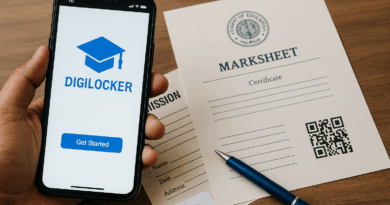
Going paperless in India is finally real: many departments issue documents straight into DigiLocker—no scans, no photocopies. When pulled from official sources (called “issued documents”), they’re legally valid under the IT Act and accepted by traffic enforcement, Railways, schools/colleges and more. This guide helps you set it up right, pull the correct docs, and show them properly so they’re accepted without fuss. DigiLocker+1
🧭 Summary
-
Outcome: Create your DigiLocker, verify mobile/Aadhaar (optional but helpful), and pull “Issued Documents” like DL/RC, CBSE marksheets, PAN, etc. These carry legal validity when shown inside the app. DigiLocker
-
Acceptance: DL/RC in DigiLocker/mParivahan are valid for on-road checks; Railways accept Aadhaar/DL shown from DigiLocker as ID proof. Screenshots or photos don’t count. IRCTC+3Ministry of Road Transport and Highways+3img1.digitallocker.gov.in+3
-
Time & cost: Account setup takes ~5–10 minutes. Pulling each doc is instant once your details match. Free. (Check issuer portals for any changes.)
-
Documents you can pull: Driving Licence, RC, Insurance/PUC status (via transport sources), CBSE marksheets & certificates, many state/central certificates. DigiLocker+2CBSE+2
-
Top pitfall: Uploads or gallery photos are not legally equivalent. Use “Issued Documents” fetched from the government issuer inside DigiLocker. DigiLocker
🧰 Before you start
Who this is for: First-time users who want a clean, accepted digital wallet of government documents on phone. Parents/students for CBSE docs, drivers/vehicle owners, job-seekers, and anyone who hates carrying paper.
You’ll need:
-
Mobile number in use (for OTP).
-
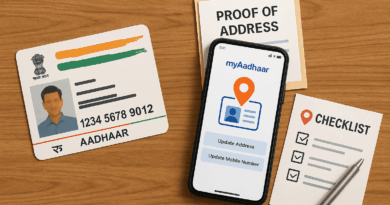
Aadhaar number (optional but recommended) to auto-match and pull more records.
-
Basic ID details for each document (e.g., DL number, vehicle number, year of passing, roll number for CBSE).
Where to do this:
-
DigiLocker app (Android/iOS) or web portal. It’s a MeitY (Govt of India) platform under Digital India. DigiLocker
Acceptance & legal backing (why it’s safe to show):
-
IT Act/IT Rules: Digitally issued docs in DigiLocker have same legal validity as physical copies. DigiLocker
-
Road checks: Rule 139 change & MoRTH circulars allow showing DL/RC in DigiLocker or mParivahan to enforcement officers. Ministry of Road Transport and Highways+2img1.digitallocker.gov.in+2
-
Railways: Indian Railways circular permits Aadhaar/DL from DigiLocker as valid ID for travel. img1.digitallocker.gov.in+1
-
Schools/Boards: CBSE pushes marksheets/certificates to DigiLocker every results season. CBSE+1
Quick note: News rules (e.g., Aadhaar checks in IRCTC windows) keep evolving; this guide cites primary circulars and DigiLocker pages, but always check the official portals for the latest. The Economic Times+1
🔟 Steps (do this now)
1) Install & create account
Download DigiLocker (Govt of India). Sign up with your mobile number → enter OTP → set a 6-digit security PIN. DigiLocker
Tip: Use a PIN you can recall; you’ll need it for quick unlock at checkpoints.
2) (Recommended) Link Aadhaar
Inside the app, go to Profile → Aadhaar → consent → OTP to the Aadhaar-linked mobile. This boosts auto-fetch of your documents. DigiLocker
Note: Linking helps match your name/DOB exactly with issuer databases.
3) Add your Driving Licence (DL)
Issued Documents → State/Ministry: MoRTH/Parivahan → Driving Licence → enter DL number, DOB → Get Document. It appears with issuer seal/QR. Ministry of Road Transport and Highways
Tip: If details don’t match, check DL format (old vs new, state code) on the smart card.
4) Add your Vehicle RC
Issued Documents → RC → enter vehicle number & chassis/engine digits (as asked). Saved to your wallet; enforcement can verify via QR/online. Ministry of Road Transport and Highways
5) Pull CBSE marksheets/certificates (students/parents)
Use the CBSE DigiLocker service: enter year, roll no., school code + access code/PIN if your school provided one; your Class X/XII marksheet and certificate will appear. CBSE+1
Tip: For 2017+ batches, documents are typically available. cbse.digitallocker.gov.in
6) Add other issuers
Explore Issued Documents library (universities, boards, CSCs, RTOs, etc.). Prefer issuer-pushed records over manual uploads. DigiLocker
7) Organise & star favourites
Pin DL/RC/Aadhaar to top so they’re one-tap at checkpoints or station entries.
8) Share safely (e.g., job, college, KYC)
Use “Share/Send” within DigiLocker to generate a secure link or QR; the receiver gets digitally signed docs. Avoid sending screenshots. DigiLocker
9) Show correctly when asked
Open the DigiLocker app → Issued Documents → show the live doc with issuer name and QR. Do not show gallery photos. Traffic police/RPF/TTE can validate on the spot. Ministry of Road Transport and Highways+1
10) Keep it current
If your DL/RC status changes (renewal, address), refresh or re-pull. For students, new exam session docs come in automatically once results are released. CBSE
📋 Checklist (copy-paste)
-
Installed DigiLocker app and set 6-digit PIN
-
Linked Aadhaar (recommended)
-
Pulled DL from MoRTH/Parivahan (Issued)
-
Pulled RC (Issued)
-
Pulled CBSE documents (if applicable)
-
Pinned key docs (DL/RC/Aadhaar) for quick show
-
Tested Share to email/employer/college (no screenshots)
-
Refreshed documents after renewals/updates
⚠️ Red flags & common mistakes
| Mistake | Consequence | Fix |
|---|---|---|
| Showing a screenshot/photo of DL/RC | Can be rejected; possible fine for not producing valid document | Always open the doc inside DigiLocker/mParivahan with issuer seal/QR. Ministry of Road Transport and Highways+1 |
| Uploading a scan and assuming it’s valid | Uploads lack issuer’s digital signature | Use Issued Documents (pulled from the issuer). DigiLocker |
| Name/DOB mismatch across records | Fetch fails; “No document found” | Link Aadhaar; correct details with the issuer first, then re-pull. DigiLocker |
| Can’t show document offline | Delay at checks | Enable device unlock, keep app logged in; know your PIN. |
| Not refreshing after renewal/transfer | You show outdated status | “Get Document” again or refresh inside the document card. |
🗣️ Templates & scripts
At a traffic check (politely and clearly):
“Sir/Ma’am, I will show my Driving Licence and RC from DigiLocker. These are legally valid under MoRTH circulars. Here is the QR/issuer seal.” Ministry of Road Transport and Highways+1
At railway boarding (TTE/RPF):
“My Aadhaar/Driving Licence is in DigiLocker. Railways accepts them as valid ID—here’s the issued document card.” img1.digitallocker.gov.in+1
Email to HR/Admissions (sharing secure link):
Subject: Submitting documents via DigiLocker (digitally issued)
Body:
“Dear <Name>,
Please find my digitally issued <document name> shared via DigiLocker secure link. This carries the issuer’s digital signature and QR for verification. Let me know if you need me to re-share or provide access for verification.
Regards, <Your Name>”
🧗 Escalation path (with links)
-
Inside DigiLocker: Use in-app Help/Support or the FAQ to troubleshoot fetching/verification issues. DigiLocker
-
Issuer first: If your DL/RC/marksheet data is wrong or missing, raise a ticket with the issuer system (Parivahan/RTO for DL/RC; school/CBSE for marksheets). Ministry of Road Transport and Highways+1
-
Grievance: If the platform isn’t functioning as promised after reasonable attempts, file a grievance on the relevant department’s grievance portal (e.g., MoRTH for DL/RC issues; CBSE/DoSEL for school docs). Use your ticket numbers, timestamps, screenshots as evidence from the app/circulars cited. Ministry of Road Transport and Highways+1
❓ FAQs
1) Is DigiLocker really “as good as original”?
Yes—for issued digital documents. DigiLocker states such documents have the same legal validity as physical versions under the IT framework. Always present them inside the app. DigiLocker
2) Are DL/RC shown from DigiLocker accepted by traffic police?
Yes. MoRTH’s circulars and the Rule 139 change allow electronic presentation of DL/RC via DigiLocker or mParivahan. Ministry of Road Transport and Highways+1
3) Do Railways accept DigiLocker as ID?
Yes—Railways circular permits Aadhaar/DL shown from the Issued Documents section of DigiLocker as valid ID proof. img1.digitallocker.gov.in+1
4) My CBSE marksheet is not appearing. What now?
Use the CBSE DigiLocker service with correct roll no., year, school code, and access code/PIN provided by your school. Check the latest CBSE circular each year. CBSE+1
5) Is a screenshot acceptable if the internet is poor?
No. Screenshots/photos are not valid. Keep DigiLocker signed-in and open the live card; enforcement can spot-verify. Ministry of Road Transport and Highways+1
6) Are uploaded scans useful at all?
You can store them for convenience, but they don’t carry issuer digital signatures, so acceptance depends on the counter official. Prefer Issued Documents. DigiLocker
7) What if my name is spelled differently on Aadhaar vs DL?
Fix it at the issuer’s end (Aadhaar/UIDAI or RTO). After the record updates, re-pull in DigiLocker. Ministry of Road Transport and Highways
8) Is DigiLocker free?
Yes, for citizens. See Terms of Use (updated 02 June 2025) for details. img1.digitallocker.gov.in
9) Where else is DigiLocker used?
Across ministries, education boards, and state services as part of Digital India. Check the ecosystem page for growing issuers. DigiLocker
📚 Sources (official)
-
DigiLocker – About/Ecosystem/FAQ (MeitY, Digital India initiative; legal validity; how verification works) — DigiLocker official site. DigiLocker+2DigiLocker+2
-
MoRTH Circulars & SOP (DL/RC validity in DigiLocker/mParivahan; Rule-139 context; on-road verification) — Ministry of Road Transport & Highways. img1.digitallocker.gov.in+2Ministry of Road Transport and Highways+2
-
Indian Railways/IRCTC Circulars (Acceptance of Aadhaar/DL from DigiLocker as journey ID) — Ministry of Railways / IRCTC. img1.digitallocker.gov.in+1
-
CBSE Circulars & DigiLocker Access (Access code instructions; availability year-wise) — CBSE & CBSE DigiLocker services. CBSE+2CBSE+2
-
DigiLocker Terms of Use (Updated 02 June 2025) — DigiLocker. img1.digitallocker.gov.in
Disclaimer: This is general guidance. Rules evolve; for time-sensitive items (acceptance conditions, workflows), check the latest circulars/official portals linked above.