E-Challan on Parivahan: Check, Pay, or Dispute (Step-by-Step)
E-Challan: Check, Pay, Dispute (Parivahan)
Got a traffic e-challan? This guide shows you—fast—how to (1) find it, (2) pay it correctly, or (3) challenge it if it’s wrong. You’ll also get ready-to-use scripts, templates, and the escalation ladder if things stall.
Quick note: Traffic fines and procedures vary by state. Use this as a practical roadmap, then follow your state traffic police/Parivahan instructions on the day you act.
🧭 Summary
-
Outcome: Find all challans against your vehicle/driver licence on Parivahan, pay securely, or dispute with evidence before deadlines.
-
Timelines: Search + payment = 5–10 minutes; payment reflection usually within 24–72 hours; dispute acknowledgement typically 7–15 days (varies by state/court).
-
Costs: You pay the fine amount + gateway fee (small ₹) if paying online. No charge to search or raise a grievance.
-
Documents: Vehicle RC number, Driving Licence number, mobile number, challan number (if known), evidence (photos/video, GPS logs, bills, parking receipt, toll/FASTag logs, etc.).
-
Top pitfall: Paying on the wrong portal (or twice) and then chasing refunds. Fix: Confirm challan on official Parivahan e-Challan or Virtual Court before paying.
🧰 Before you start
Who this is for
-
Car/bike owners, fleet managers, and families who need to quickly check traffic fines.
-
Anyone who believes a challan is wrong, duplicate, or already paid.
What you’ll need
-
Any one: Vehicle number (RC), DL number, or challan number.
-
A mobile number for OTP.
-
For disputes: Evidence bundle (see checklist below).
Where to do it
-
Search & pay: Parivahan e-Challan portal/app; in many states, eCourts Virtual Court takes payments.
-
Dispute/representation: State Traffic Police portal/office or the Traffic Court/Magistrate noted on the challan/Virtual Court page.
Costs & TAT
-
Fine amount depends on the offence and state rules.
-
Online payment fee: nominal gateway charge.
-
Update time: usually 24–72 hours after payment.
-
Refunds for failed/double payment: often 7–10 working days after raising a ticket with the payment gateway/authority.
Heads-up: If a court date or appearance requirement is mentioned, don’t pay online unless permitted; follow the summons/Virtual Court instructions.
🔟 Steps (do this now)
Step 1 — Find your challans
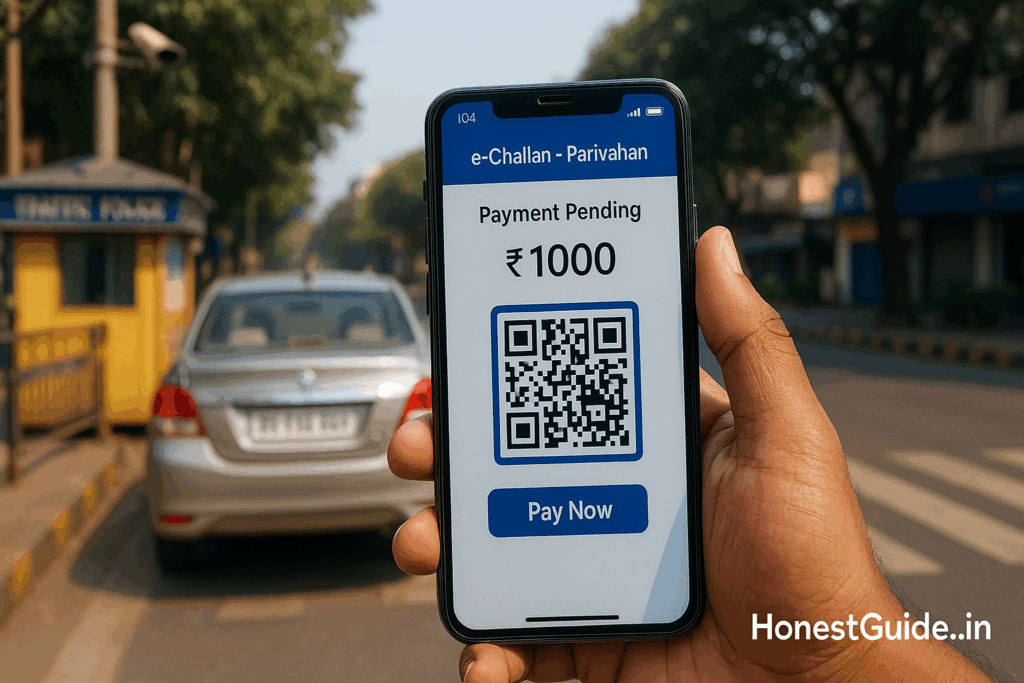
Go to the official Parivahan e-Challan page. Search using Vehicle No, DL No, or Challan No. Solve the captcha and hit Get Details.
Tip: If nothing shows up but you received an SMS, try Challan No search or check the Virtual Court portal for your state.
Step 2 — Verify details carefully
Open each challan and confirm: vehicle number, date/time, location, offence type, photo/video, issuing authority, amount, and due date.
Note: If the photo doesn’t match your vehicle (wrong color/variant/number) or the location/time is impossible, flag it for dispute.
Step 3 — Decide: pay or dispute
-
Pay now if it’s correct and the amount matches your understanding.
-
Dispute if it’s wrong, duplicate, already paid, or beyond ownership period (sold vehicle, hypothecation issues, etc.). See templates below.
Step 4 — If paying on Parivahan/Virtual Court
Select the challan(s) → Proceed to Pay → choose gateway → pay via UPI/netbanking/card. Save/print the receipt/acknowledgement.
Tip: Pay one time only on one portal. If Virtual Court shows the challan, prefer paying there to close the case record cleanly.
Step 5 — Confirm settlement
After payment, revisit the portal in 24–72 hours. Status should show Paid/Disposed. Download the payment proof PDF and keep it with your RC/DL records.
Step 6 — If you’re disputing (online first)
Check your state Traffic Police site for a grievance or challan dispute option. Submit:
-
Challan number(s) and your details
-
Short reason (e.g., “Wrong vehicle in photo”, “Sold vehicle before date”, “Already paid on date/time txn-ID….”)
-
Evidence bundle (clear, labelled files)
You’ll get a ticket/acknowledgement. Save it.
Step 7 — If court/representation is required
Your challan may direct you to Traffic Court/Magistrate (often via Virtual Court). File a representation or plea with evidence before the due date.
Tip: Many states allow uploading documents via Virtual Court. If not, visit the court counter on the mentioned date with originals/copies.
Step 8 — Track your dispute
Check status weekly on the same portal; note any hearing date, additional documents requested, or disposal remarks. Keep all SMS/emails.
Step 9 — Fix vehicle ownership/KYC issues
If challans arise after sale or due to old ownership records:
-
Complete RC transfer or file Initiation of Transfer proof.
-
Upload sale documents, Form 29/30, delivery note, buyer ID, and any police intimation if applicable.
Step 10 — Close the loop
Once paid or disposed, ensure status is updated on Parivahan/Virtual Court. If not, raise a payment reconciliation ticket with: challan no., date/time, amount, gateway transaction ID, and payment proof. Keep a copy in your records.
Legal disclaimer: This is general information, not legal advice. For case-specific guidance, consult a lawyer or your state authority.
📋 Checklist (copy-paste)
-
Search challans on Parivahan (and Virtual Court if applicable)
-
Validate vehicle, date/time, location, offence, amount
-
Decide Pay or Dispute
-
If Pay: pay once on official portal → save receipt PDF
-
Recheck status 24–72 hrs later → save Paid/Disposed proof
-
If Dispute: raise online grievance (state traffic police) → attach evidence
-
If Court: file representation with evidence before due date
-
If ownership issue: start/finish RC transfer; upload sale proof
-
If payment not reflected: raise reconciliation with transaction ID
-
Archive everything: PDFs, screenshots, SMS, emails, ticket numbers
⚠️ Red flags & common mistakes
| Mistake | Consequence | Fix |
|---|---|---|
| Paying on a look-alike site | Money lost / no challan closure | Use only Parivahan e-Challan or Virtual Court; check padlock and .gov.in domain where applicable. |
| Paying twice (Parivahan + Virtual Court) | Refund chase, duplicate records | Pay on one portal; if both show, prefer Virtual Court. |
| Ignoring a court-directed challan | Penalty may increase; warrants in serious cases | Read challan; if court date shown, appear/file online as instructed. |
| Not attaching solid evidence in dispute | Dispute rejected | Provide clear photos/video, labelled, with timestamps, bills, GPS, ownership proof. |
| Disputing when you should pay early | Late fee or higher compound amount | If offence is clear and amount will rise, pay promptly. |
| Vehicle sold but RC not transferred | New owner’s violations hit you | Initiate/complete RC transfer; upload sale proof and notify authority. |
Quick table — Common dispute reasons
| Reason code | Evidence needed | Typical TAT |
|---|---|---|
| Wrong vehicle in photo | Photo highlighting mismatch (number/colour/model), your vehicle photos | 7–15 days |
| You were elsewhere | Toll/FASTag logs, parking/ticket receipts, GPS trip logs, work invoice | 7–15 days |
| Duplicate challan | Two challans same time/location; screenshots | 7–10 days |
| Already paid | Payment receipt PDF, gateway txn ID, bank statement | 7–10 days |
| Sold before date | Sale agreement, Form 29/30, delivery note, buyer ID, insurance transfer proof | 10–20 days |
(Timelines are indicative; check your state portal.)
🗣️ Templates & scripts
A) Online grievance (state traffic police portal form/text box)
Subject: Dispute of e-Challan No. {{CHALLAN-NO}} — Wrong Vehicle
Message (copy-paste):
I am {{YOUR NAME}}, owner/previous owner of vehicle {{VEHICLE NO}}. I dispute e-Challan {{CHALLAN-NO}} dated {{DD-MM-YYYY}} at {{TIME}} near {{LOCATION}} for offence {{OFFENCE}}. The enforcement photo/video does not match my vehicle (see attached: “A1_plate_mismatch.jpg”, “A2_vehicle_colour.jpg”). Kindly review and cancel.
Attachments: RC, comparison photos, any supporting logs.
Contact: {{MOBILE}}, {{EMAIL}}.
B) Payment reconciliation (when payment not reflecting)
Subject: Payment Reconciliation — e-Challan {{CHALLAN-NO}}
Message:
Paid ₹{{AMOUNT}} on {{DATE}} at {{TIME}} via {{UPI/Card/Netbanking}}. Gateway Transaction ID: {{TXN-ID}}. Challan still shows unpaid. Please update status or advise. Receipt attached.
Attachments: Receipt PDF, bank/SMS proof, screenshot of “Unpaid” status.
C) Representation to Traffic Court/Magistrate (email/letter as per local rule)
To: The Traffic Court/Magistrate, {{LOCATION}}
Subject: Representation regarding e-Challan {{CHALLAN-NO}} — Request for Disposal
I, {{NAME}}, {{ADDRESS}}, request review/disposal of e-Challan {{CHALLAN-NO}} for {{OFFENCE}} dated {{DATE}}.
Grounds: {{brief, factual}}.
Evidence list: {{1…2…3…}} (enclosed).
I am available for hearing as scheduled. Kindly consider cancellation/reduction as justified.
Signature/Date; Contact
D) Phone script (helpdesk / traffic unit)
“Namaste. My name is {{NAME}}. I’m calling about e-Challan number {{CHALLAN-NO}} for vehicle {{VEHICLE-NO}}. The issue is {{one line}}. I have evidence and a grievance ticket {{TICKET-NO}}. Could you please confirm the reviewing officer and expected timeline? I’ll email the bundle right away. Thank you.”
🧗 Escalation path (with links)
-
Issuing authority — Use the State Traffic Police challan/helpline/grievance portal shown on your challan or Parivahan record. Attach your evidence bundle and keep the ticket number.
-
Payment gateway/Parivahan helpdesk — For failed/double payments or status not updated, raise a payment reconciliation ticket with gateway Transaction ID, challan details, and receipt.
-
Traffic Court / Virtual Court (eCourts) — If the challan is court-referenced or your dispute needs judicial review, file a representation/plea with evidence before the due date on Virtual Court or at the listed court.
-
State Police Grievance Cell / Appellate Authority — If no resolution after the stated TAT, escalate with your prior ticket numbers and complete evidence set.
-
Consumer Helplines (process delays/payment issues) —
-
National Consumer Helpline (DoCA) for payment-related service deficiencies (not for offence merits).
-
CPGRAMS (where applicable) if a central-agency service aspect (e.g., payment/IT system) is involved.
-
Keep a timeline log with dates, officer names, and call summaries. It speeds up escalations.
❓ FAQs
1) I see the challan on both Parivahan and Virtual Court. Where should I pay?
If shown on Virtual Court, pay there so the judicial record closes cleanly. Don’t pay twice.
2) The photo is unclear. Can I still dispute?
Yes. Explain clearly and attach supporting evidence (e.g., parking receipt, toll log, GPS timeline). Unclear photo alone may not win—pair it with strong corroboration.
3) I sold the vehicle before the challan date. What now?
Share sale proof (agreement, delivery note, Form 29/30, buyer ID, insurance transfer, eNOC). Also finish RC transfer if pending. Ask for cancellation/transfer as per local rule.
4) Payment succeeded but status shows unpaid.
Wait 24–72 hours, then raise payment reconciliation with gateway txn ID, receipt, and screenshots.
5) Can I get a refund if I accidentally paid twice?
Usually, yes—via gateway/authority refund after verification. File a ticket with both transaction IDs and receipts. Expect 7–10 working days (varies).
6) Do I have to visit court to dispute?
Not always. Many states allow online representation via Virtual Court. If a summons/appearance is mentioned, follow it.
7) What if I ignore the challan?
Penalties may increase; for court-directed challans, consequences escalate. Always close or contest within the deadline.
8) I’m a fleet manager—any bulk option?
Parivahan and some state portals support multiple challan views/downloads; consider scheduling a weekly check and centralising payment proofs.
9) Can someone else pay on my behalf?
Yes—anyone with the challan details can pay online. Keep the receipt in the vehicle file.
10) Will my licence get points for this offence?
Some states apply DL penalty points. Check your state traffic police rules and your DL status on Parivahan.
📚 Sources
-
Parivahan e-Challan portal — Official national gateway to view/pay challans and see challan details.
-
eCourts Virtual Court — Official judiciary platform where many traffic challans are listed for online disposal/payment.
-
State Traffic Police websites/helplines — Issue-specific rules, dispute/grievance forms, and local processes.
-
Motor Vehicles Act & State Rules — Offence definitions, compounding amounts, and procedure for contesting.
-
National Consumer Helpline (DoCA) — For payment-related service issues, not offence adjudication.